Master the Interface
Hover over the dashboard elements throughout the screen to reveal their function and strategic importance.
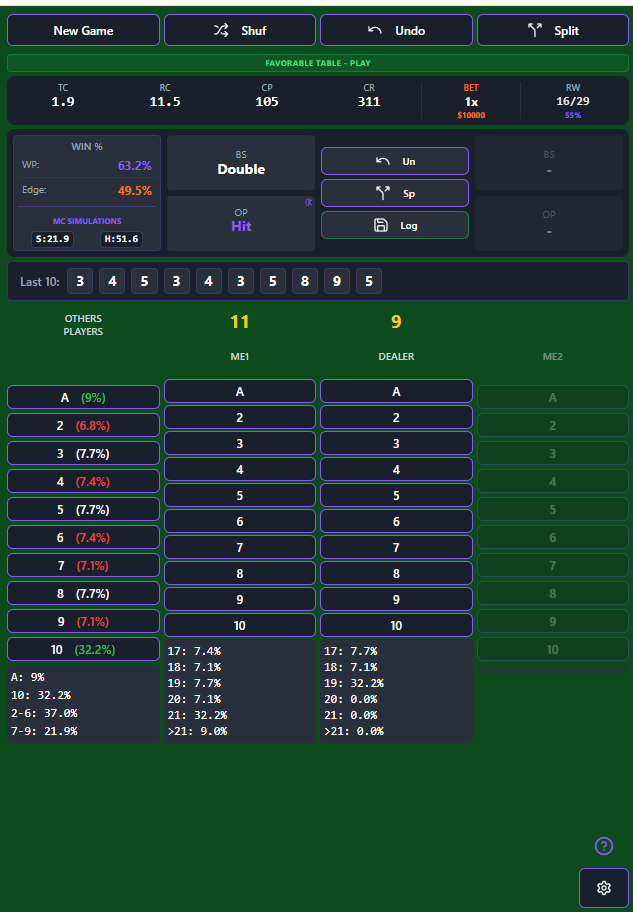
New Game
End the current game and deal a New Hand.
Shuffle
Change the shoe (deck shuffle). You will be asked if you want to keep session statistics.
Undo
Remove the last card entered in case of input error.
Split
Split pairs when you have two equal cards. Includes strategy recommendation.
Table Indicator
Status: Favorable, Neutral, or Unfavorable. Helps you decide whether to leave the table or sit out hands.
TC • True Count
The normalized count (Running Count ÷ Decks Remaining). Dictates betting and deviations.
RC • Running Count
Raw count of all visible cards based on your counting system values.
CP • Cards Played
Total cards dealt from the shoe so far.
CR • Cards Remaining
Cards left in the shoe.
BET
Recommended bet multiplier based on Kelly Criterion relative to your minimum bet.
RW • Ratio Win
Your session Win/Loss ratio (e.g. 16 wins / 29 played).
WP • Win Probability
Estimated probability of winning the current hand based on simulations.
Edge (Advantage)
Net mathematical advantage over the house. Positive values (+EV) indicate the table is in your favor.
BS • Basic Strategy
Optimal move (Hit, Double, etc.) based on static Basic Strategy charts.
OP • Optimal Play
Count-adjusted move (Deviations). This overrides Basic Strategy for higher EV.
Action Panel
Quick access buttons: Undo (Un), Split (Sp), and Session Log saving.
Last 10 Cards
History of the last 10 input cards. Click any to undo input error.
Other Players / Probability
Input cards for other players here. Also displays remaining probability per card rank (left side).
Other Players / Probability
Input cards for other players (ME2 side). Displays remaining probability per card rank.
ME1 • Main Hand
Your primary hand cards.
Dealer Hand
Dealer's upcard and subsequent hole cards.
Outcome Probability
Probability of final hands landing on 17 through 21, or Busting (>21).
Recommended Playing Modes
How to arrange your screens for maximum flow and visibility, without losing time switching windows between cards.
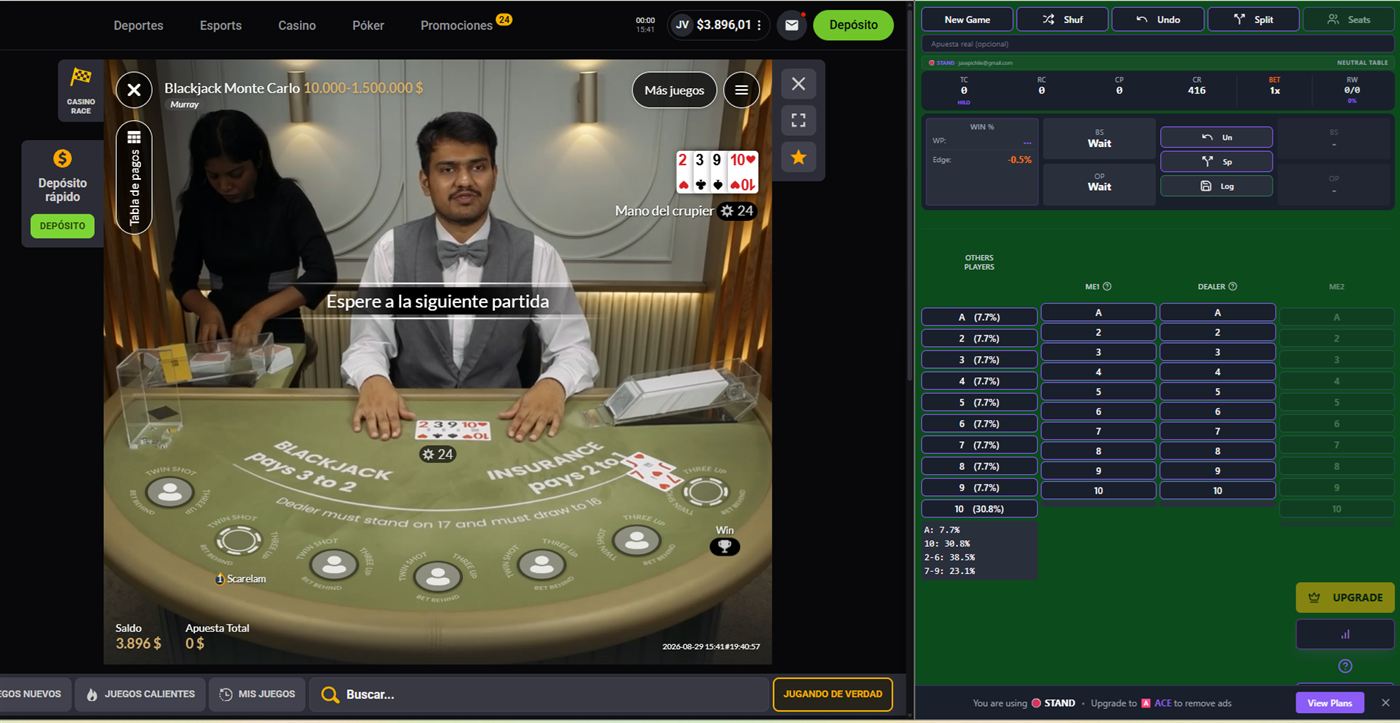
1. Mixed Mode
2 browsers · 1 laptop · 1 seat
Split your laptop screen into two side-by-side browser windows: the casino takes ~70-75% of the width and BlackJackForAll the rest. You see the real table and the app in the same glance, no Alt+Tab switching.
- Maximum flow: both windows always visible.
- Single device, easy to set up anywhere.
- Built for playing one seat at a time.
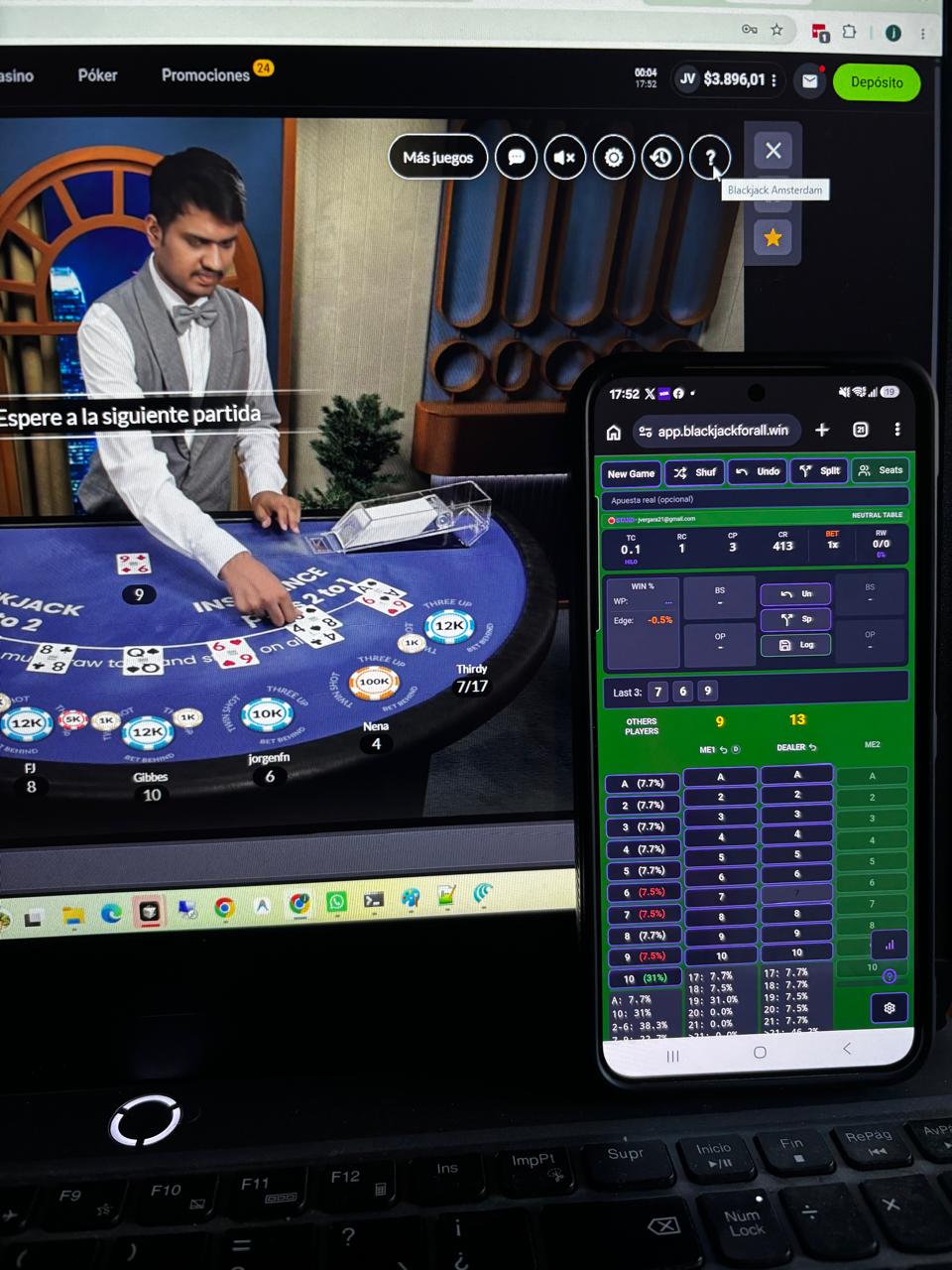
2. Mobile Mode
Laptop + Phone · 1 seat
The casino takes the full laptop screen and BlackJackForAll runs on your phone next to it. Ideal if you prefer the casino browser full-screen, or your laptop doesn't have room to comfortably split the screen.
- Uncropped, unshared view of the casino.
- Your phone stays a control panel always within reach.
- Built for playing one seat at a time.
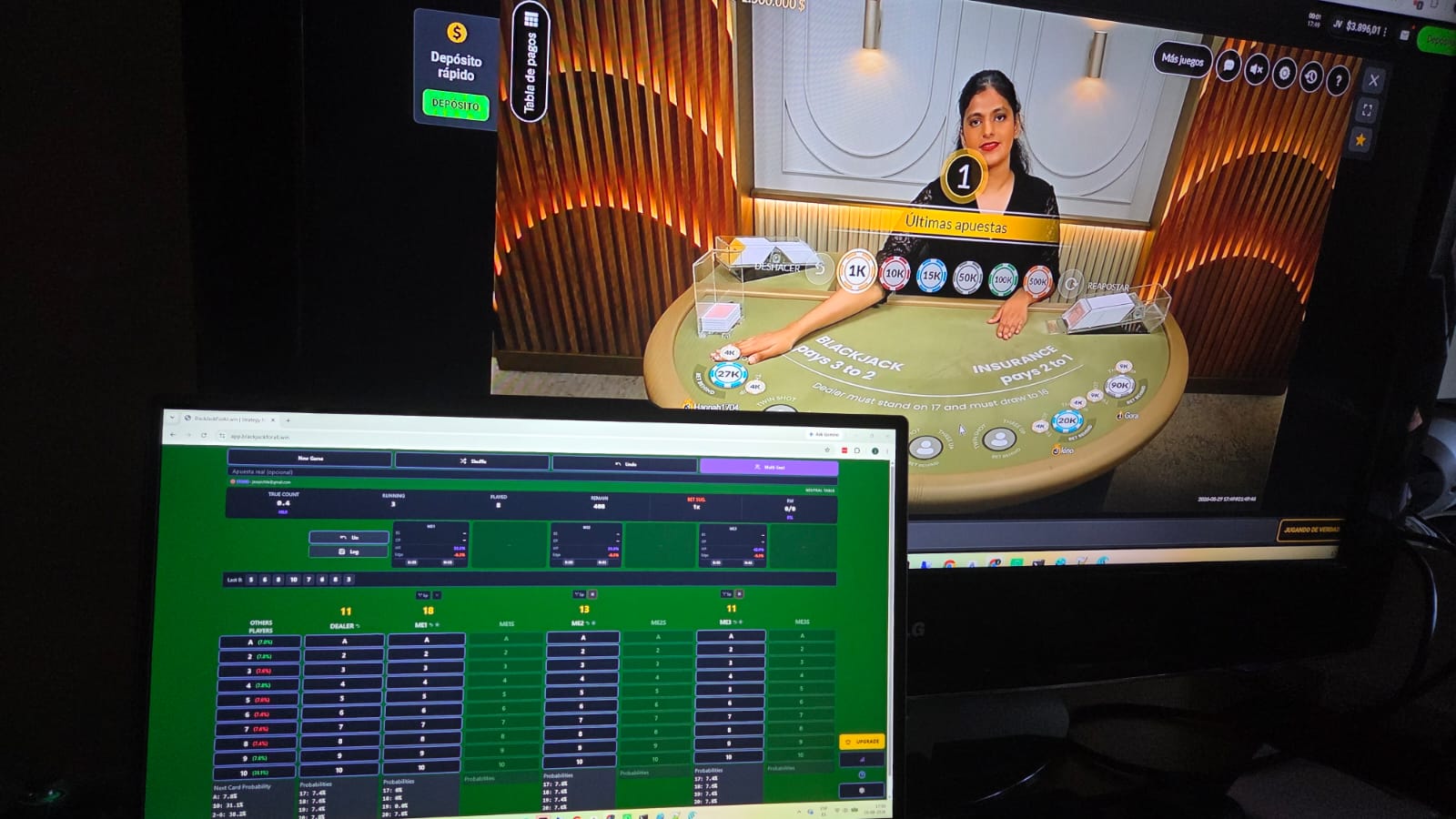
3. 3-Seat Mode
Laptop + 2nd monitor · up to 3 seats
Requires a laptop connected to a second monitor. The casino runs on one screen and BlackJackForAll on the other at full size — so you get the full interface (all 3 seats and their hands) without squeezing content onto one screen.
- The only mode built for playing up to 3 seats at once.
- Requires extra hardware (second monitor/HDMI).
- Best for long sessions and your own tables.